Introducing Profiles: set up each client and product once
A profile keeps a client's voice, words and facts, or your product's facts and the claims you can back up. Every task that uses it follows it on every run, and its checks read it.

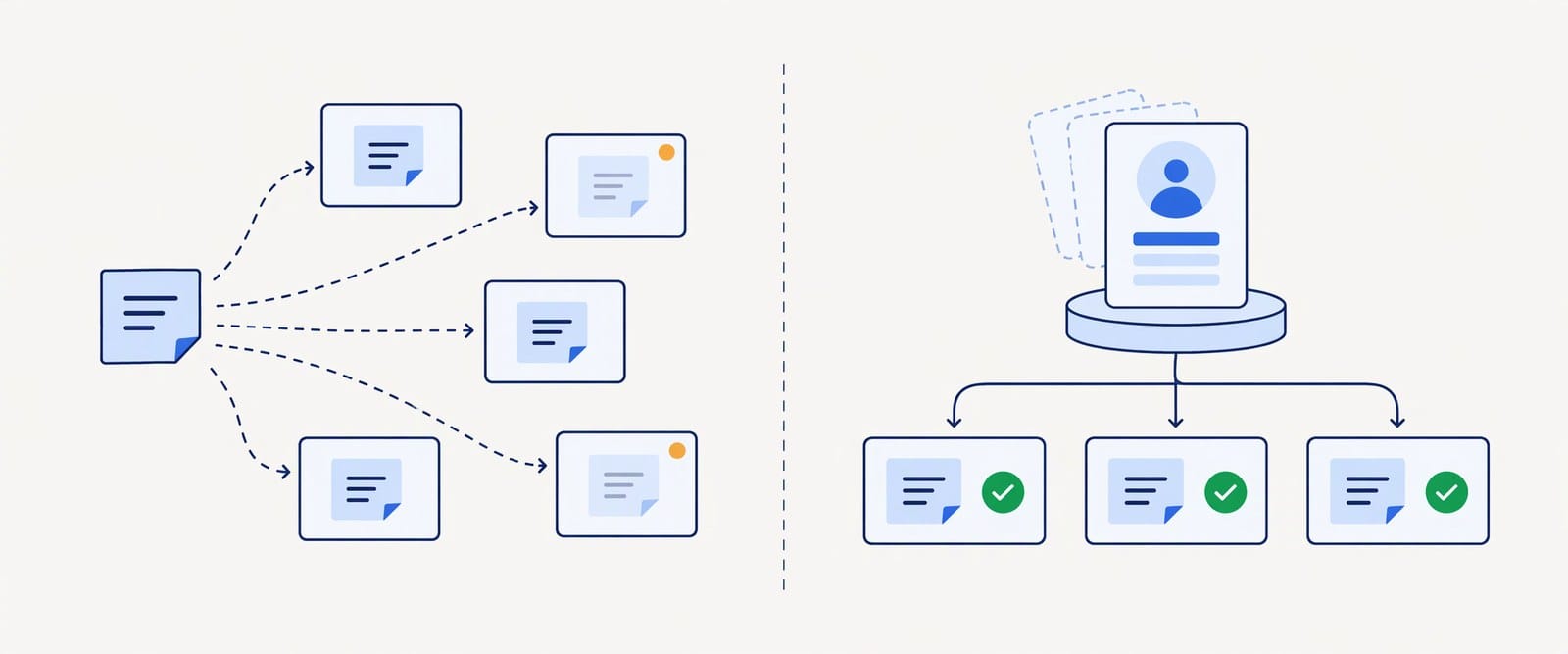
If you write for clients, you know the paste. Every task starts with the same block of notes: how this client sounds, the words they never use, the facts you're allowed to mention, the topics to stay away from. Three clients with three kinds of work each is nine copies of those notes. When a client says "please stop calling my readers folks", you have to find every copy and fix it, and the one you miss is the one that goes out.
People testing ConsoleX for client work did the same thing: one block of notes, pasted into every task. It worked until the notes changed.
Profiles fix that. A profile keeps what your work is for in one place: a client's voice, words and facts, or your product's facts and the claims you can back up. Tasks that use a profile follow it on every run, and their checks read it. Change it once, and every task that uses it follows from its next run.
Two kinds of profile
Profiles has its own place in the sidebar, with client profiles and product profiles in one list. The examples in this post use a made-up client, Daniel Kim, and a made-up product, Acme Notes.
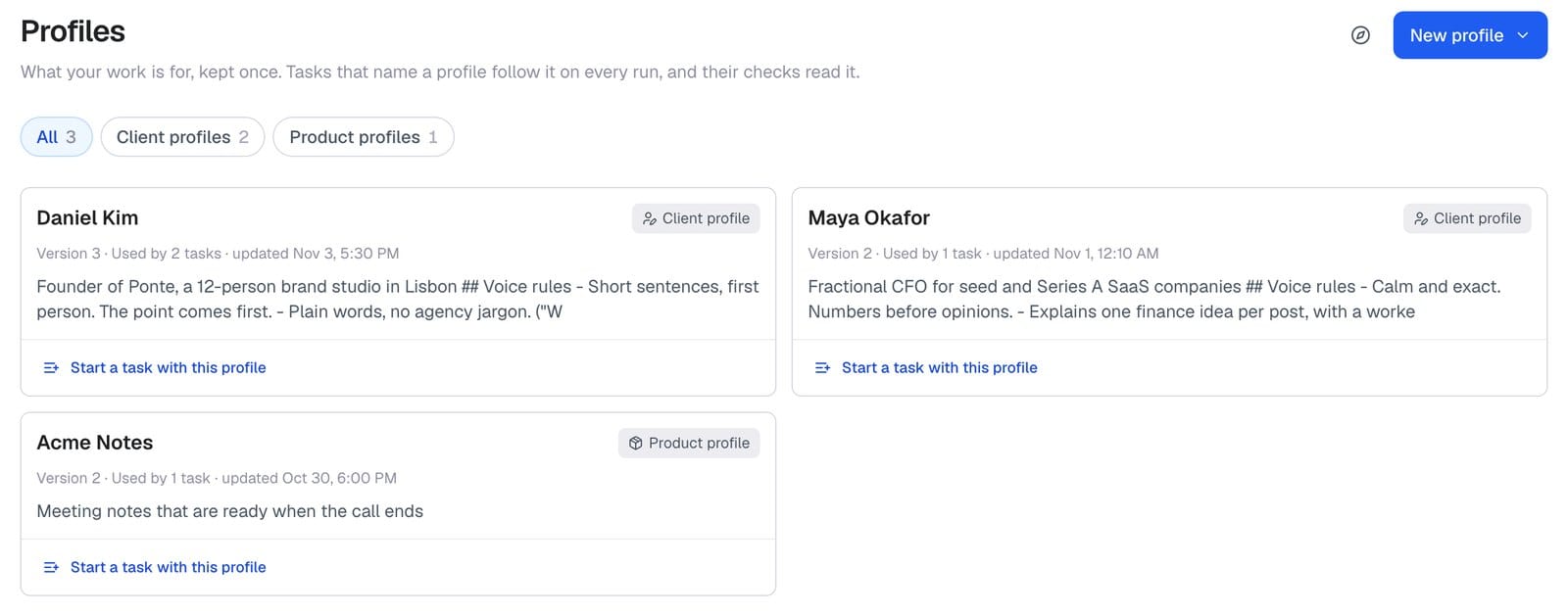
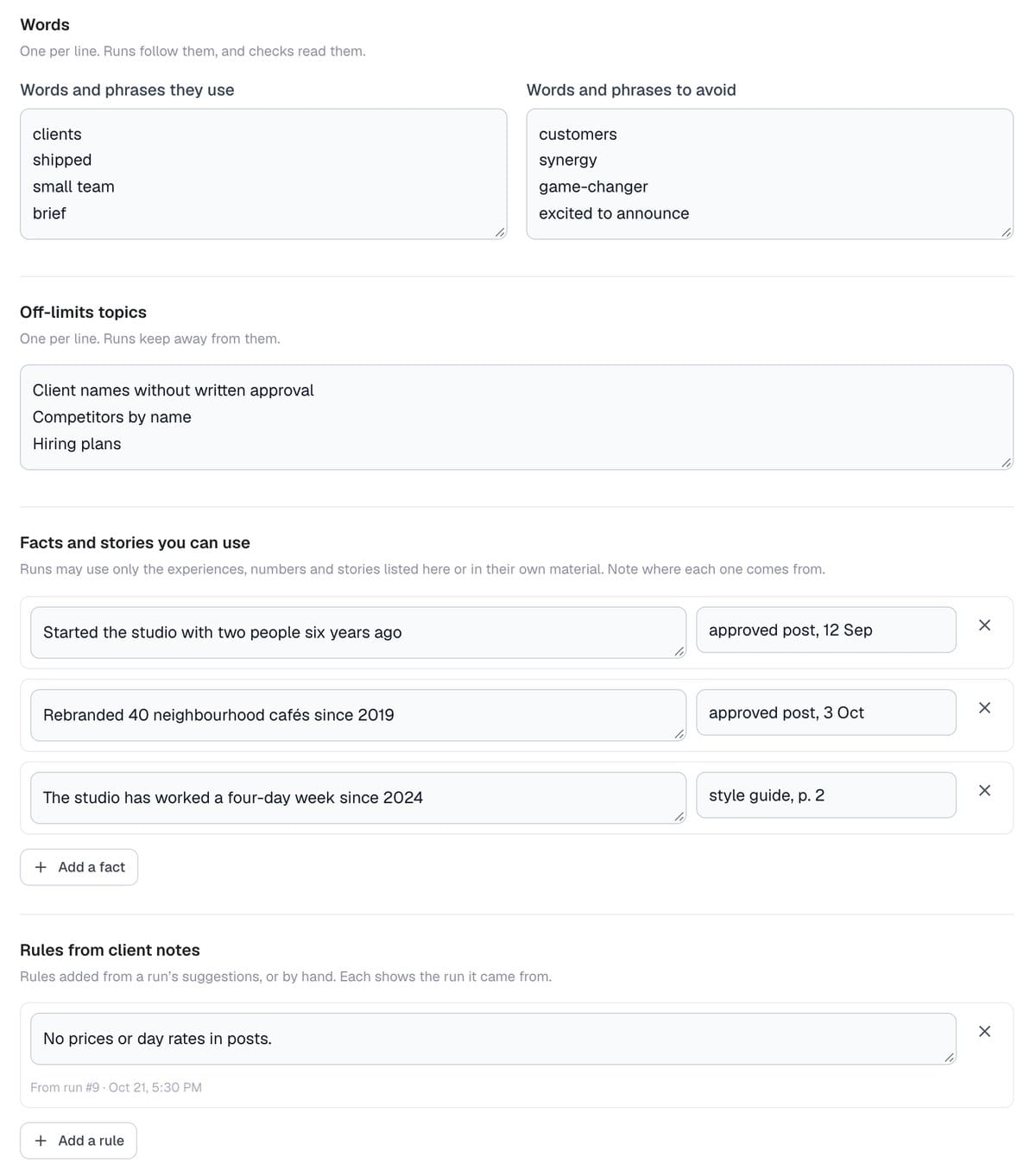
A client profile is for someone you write for. It holds:
- About the client: who they are, who reads them, their channels and language.
- Voice and notes, in your own words.
- Words and phrases they use, and ones to avoid.
- Off-limits topics.
- Facts and stories you can use, each with where it came from. Runs may use only the facts listed here or in that run's own material.
- Rules from client notes, each linked to the run it came from (more on these below).
- Up to five approved samples, as a voice reference. Facts in a sample count only once you list them as facts.
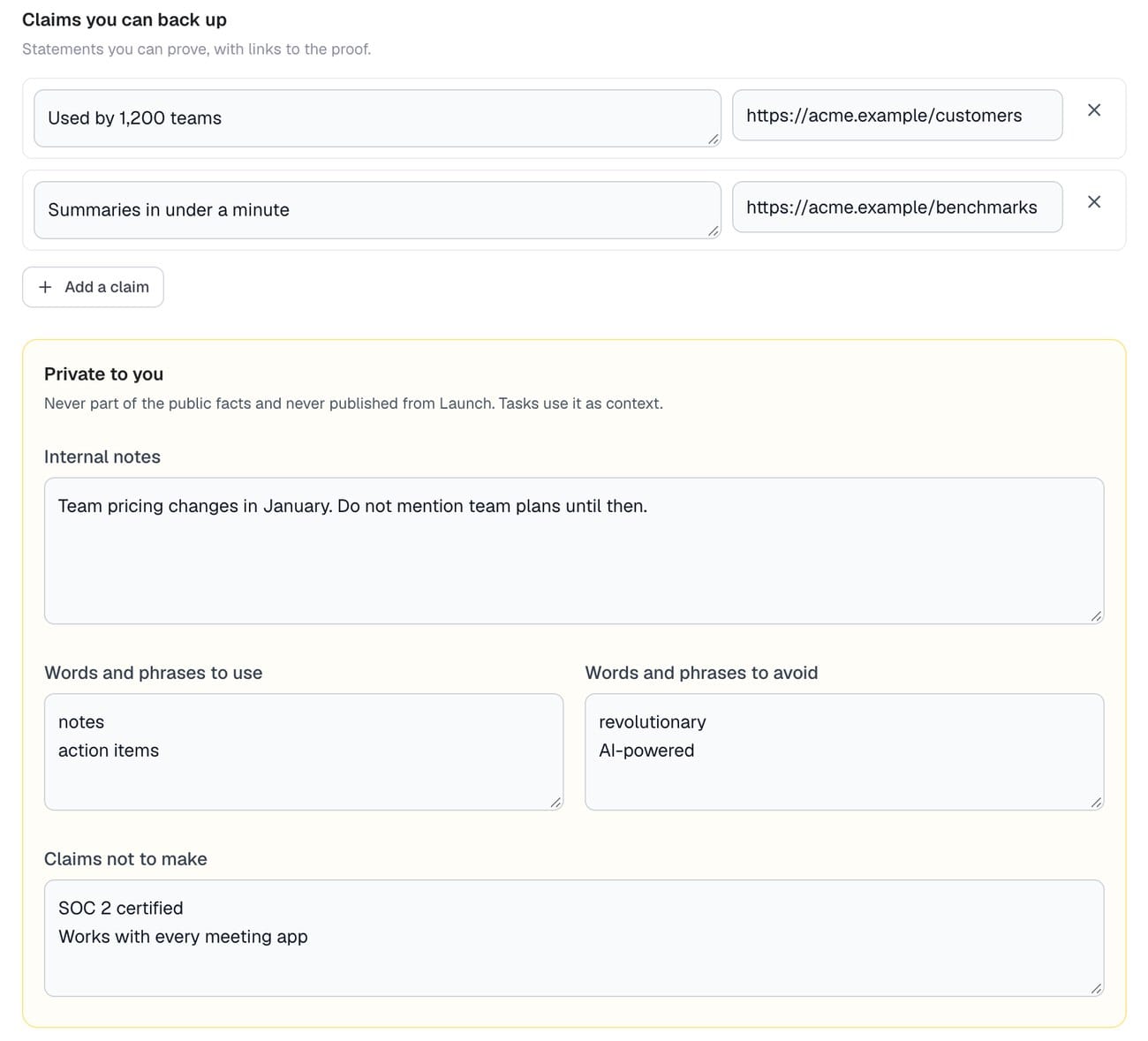
A product profile is for something you sell: the basics, the pitch, who it's for, features, pricing, and claims you can back up, each with a link to the proof. Below that is a section that's private to you: internal notes, words to use and avoid, and claims not to make. That section is never part of the product's public facts. Tasks use it as context and are told never to quote your internal notes.
Start from what you already have
You don't have to fill in the form by hand. Choose New profile, then Draft with AI:
- For a client, upload one document or paste text: three to five posts the client approved, or their style guide.
- For a product, give one web page, or one document such as a product brief, one-pager or deck.
Drafting usually takes 10 to 40 seconds and keeps going if you leave the page. The draft waits for you in Profiles and on your Dashboard.
The part I care about most: every voice rule and every fact in a client draft has to quote the source. Before you see the draft, ConsoleX looks for each quote in the text you gave it. That step is a plain text match, not another model call. If the quote isn't there, the item stays out of the draft and is listed under "Left out of the draft", so you can add it yourself if it's right. Anything the source didn't settle goes under "For you to confirm". Product drafts work the same way: each fact comes with its source, and what the page or document doesn't say is left for you to fill in.
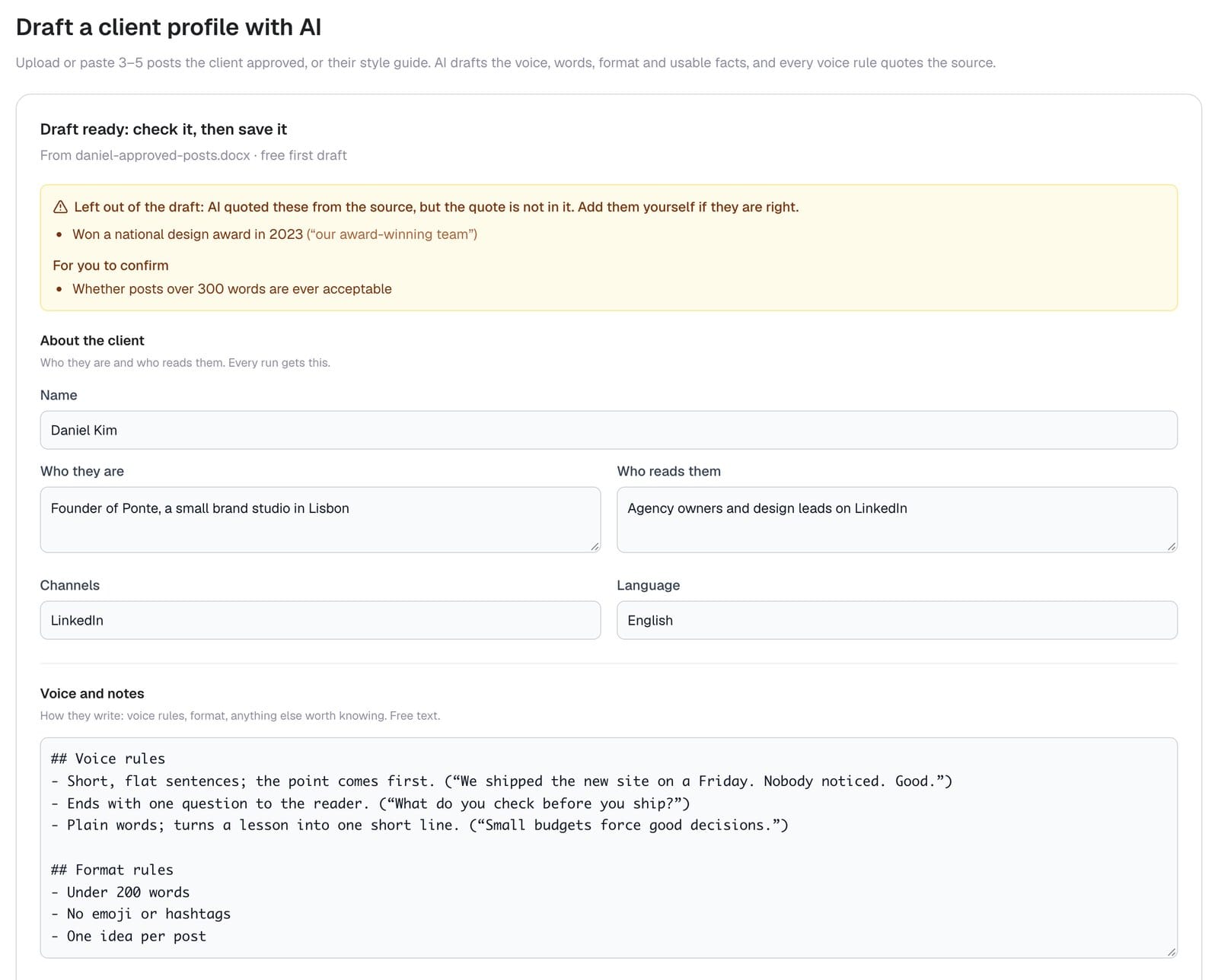
The draft opens in the same form you'd fill in by hand, and nothing is saved until you press Save. Your first AI draft is free. After that, drafts use your plan allowance, then Credits, and a draft that fails isn't charged.
Every task follows it
Choose the profile in a task, under What to work from. Templates that write for a client or about your product ask for one; any other task can use one if it helps. From a profile, Start a task with this profile lists the templates that fit it, with the profile already selected.
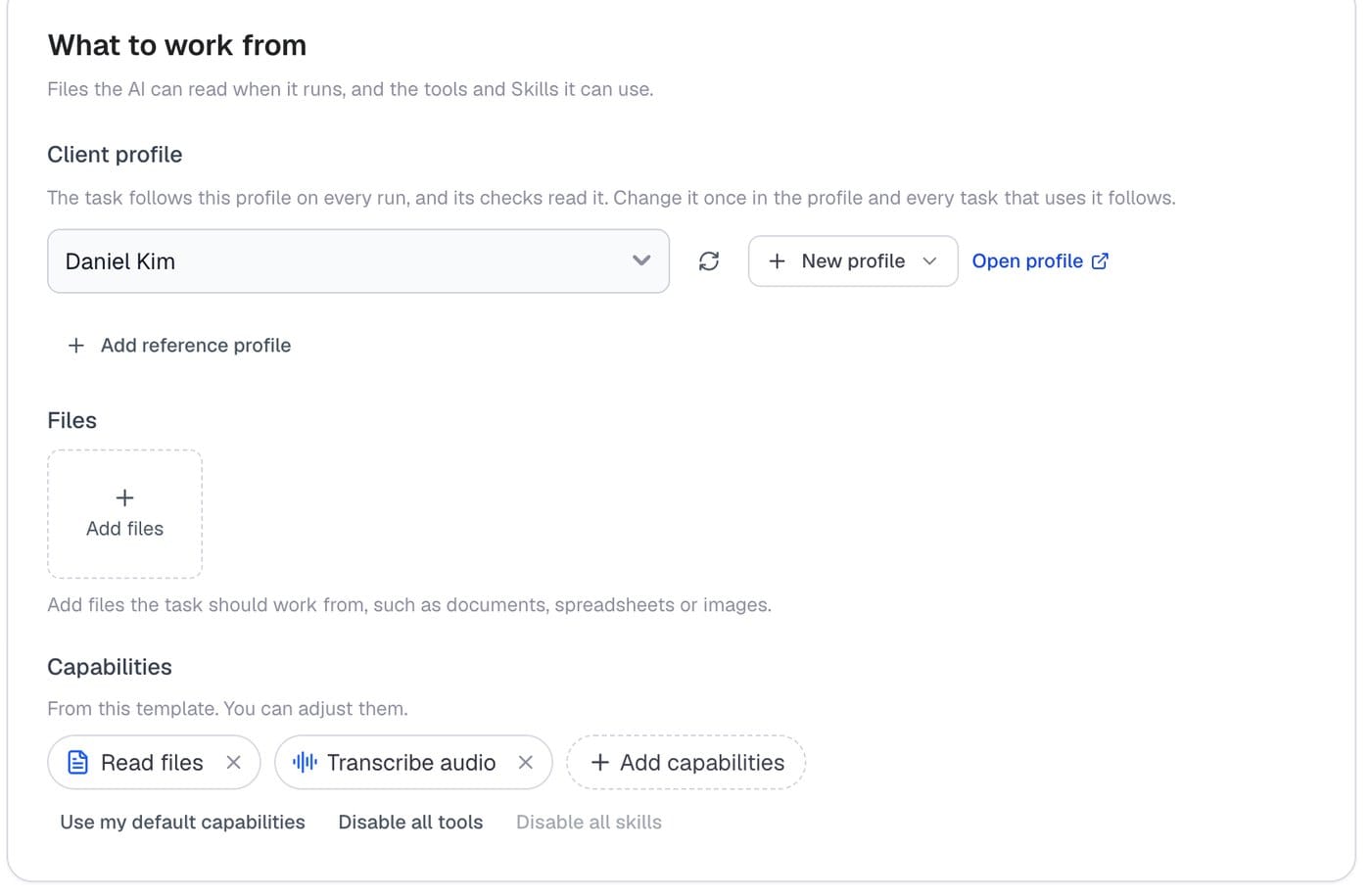
The profile isn't copied into the task. Each run reads the profile as it is when the run starts and records the version it used. You'll see it at the top of the result: "Written with Daniel Kim's profile · version 2". If the profile has changed since, the run says so: "(now version 3)".
You can't delete a profile while tasks still use it. ConsoleX lists those tasks so you can switch them to another profile first.
Checks read the same version
A run is checked against the same profile version it was written with. The client templates come with checks built on it:
- Nothing the client didn't say: every experience, number, name, company and quote appears in the run's material or in the profile's facts.
- Follows the client's profile: words to avoid, format rules and off-limits topics.
- Sounds like the client: compared with the profile's voice rules and quoted sentences. This one is a suggestion, so a miss shows on the report without failing the run.
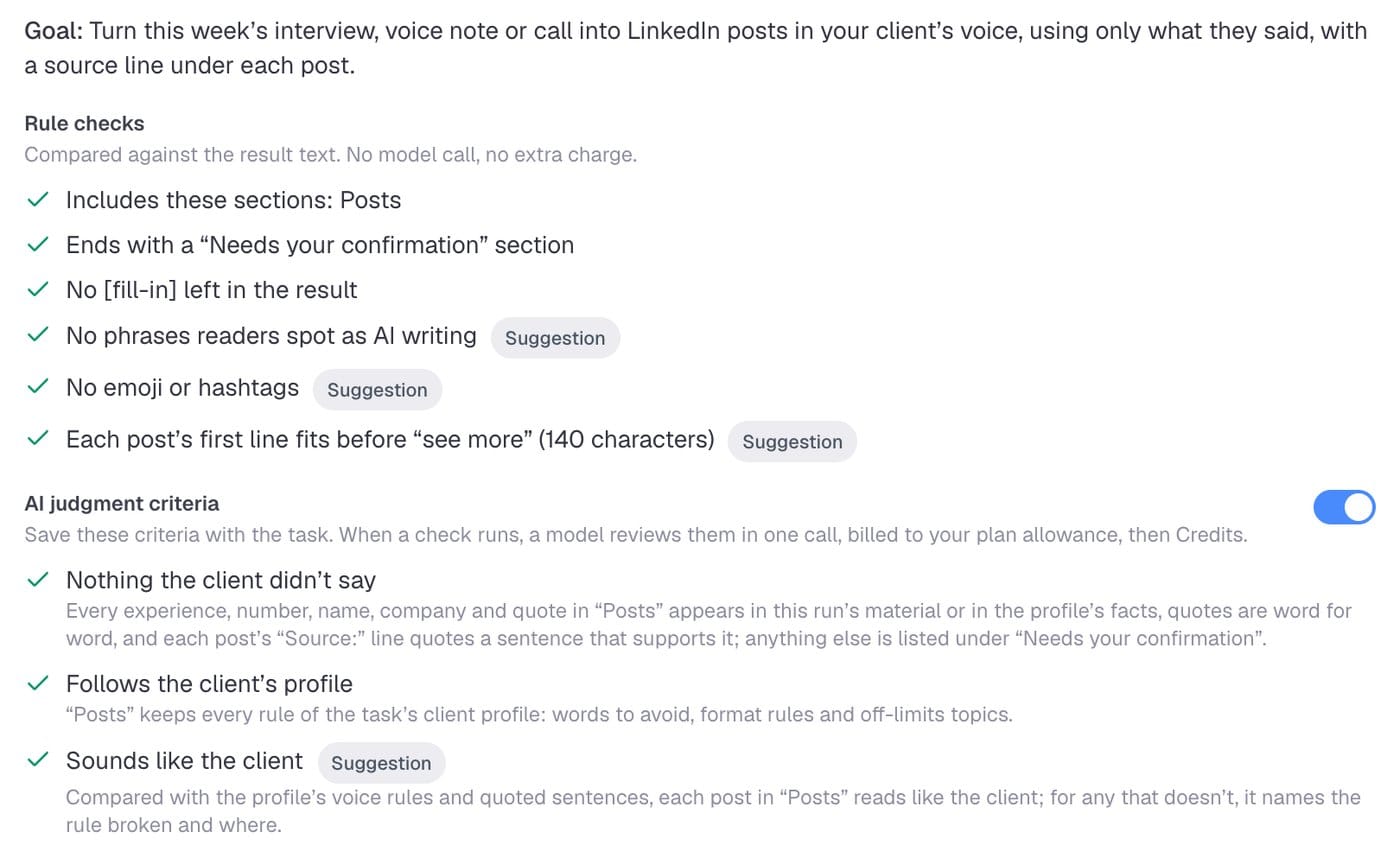
Checks give you evidence for your decision, not a guarantee. A check without enough evidence comes back as needs review, never as passed, and you decide what gets sent.
Change it once
Edit a profile and save it, and you get a new version. Every task that uses it follows that version from its next run. History lists each version and where it came from, and you can view or restore any of them.
Some of the best changes come from your client. The Second version from client notes template applies a client's notes to a draft, shows where each note went, says which notes it didn't apply and why, and suggests rules for the profile so the same note doesn't come back next week.
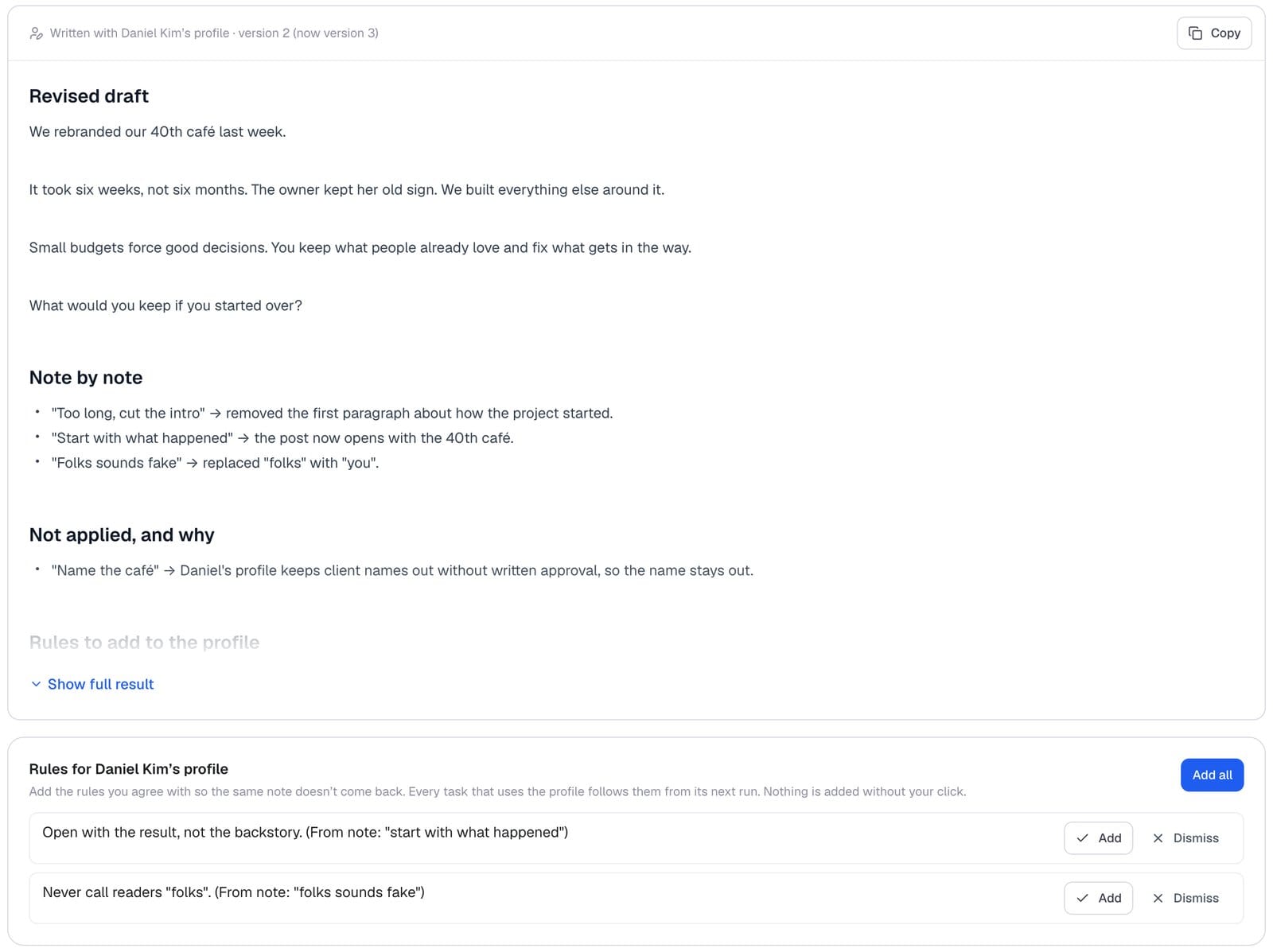
Each suggested rule shows the note it came from. Nothing goes into the profile until you click Add. When you do, the rule is saved in a new version under Rules from client notes, linked to the run it came from, and every task that uses the profile follows it from its next run.
Templates that use profiles
For client work:
- This week's posts for a client: turn this week's interview, voice note or call into LinkedIn posts in your client's voice, using only what they said, with a source line under each post.
- Second version from client notes: apply the notes, show where each one went, and suggest rules for the profile.
- Client voice profile: build or refresh a profile from several pieces of the client's writing, then save the result as the profile.
For your product:
- Launch announcement for your product
- Release notes from what shipped
- Directory listing for your product
Profiles are optional. Most tasks don't need one. They earn their place when the same context repeats across tasks.
A few notes
- Profiles attach to tasks. Chats and Agents can't use them yet, and saving a chat as a task doesn't bring a profile along.
- An AI draft is a starting point. Read it before you save it.
- A profile tells every run what to follow. It can't promise that every run does, which is why the checks read it too.
Try it with one client
Open Profiles, choose New profile, and draft one from posts a client already approved. Then start a task with it.
If you write for clients, I'd like to know what you keep in your notes that a profile has no place for yet. Write to contact@evalsone.com.
— Quentin